
|
|
|
Try it Now
Try iCatcher Console free of charge for 21 days. read more... Buy it NowPurchase iCatcher Console from only £139.95. read more... Case StudiesSome of the success stories using iCatcher Console as the CCTV core. read more... CCTV ShopBuy video and capture hardware, cameras, and iCatcher Console discount bundles. read more... Remote ControlControl our lights and fan from our website, using embedded iCatcher functionality. read more... Sample iCatcher SitesSee the best iCatcher live feeds from around the world. read more... |
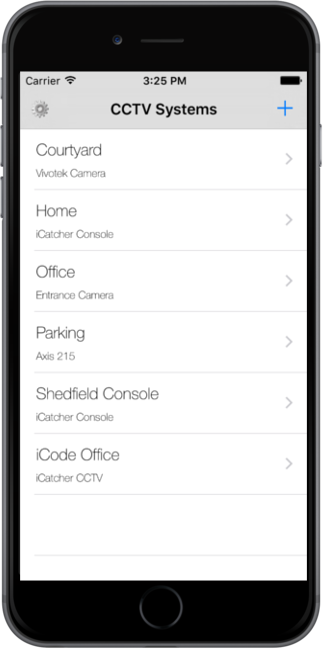
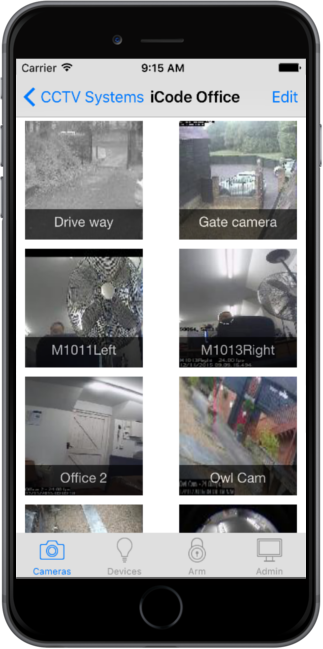
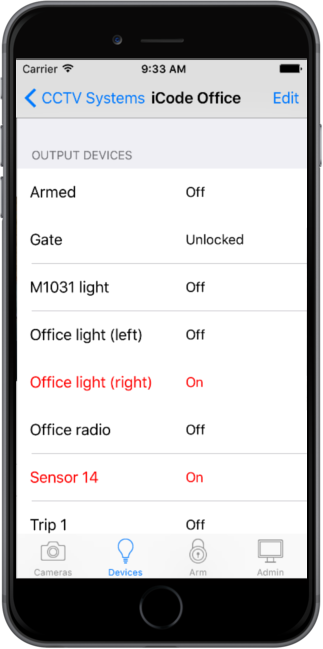
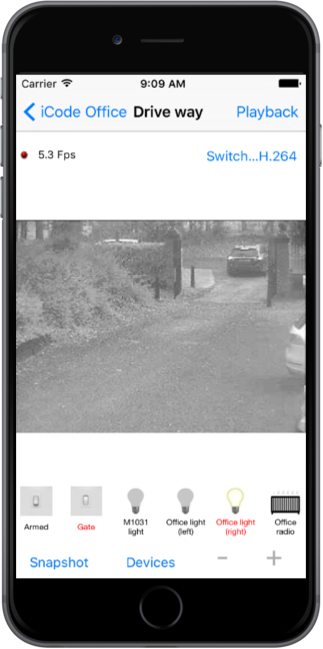
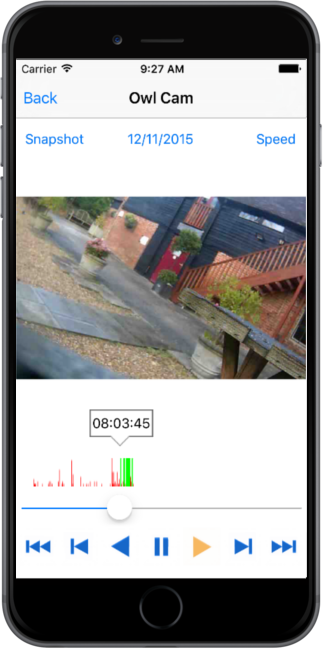
iCatcher Pro allows high speed remote viewing of CCTV & web cameras from your iPhone or iPod Touch. iCatcher Pro can either connect to your iCatcher CCTV software, or directly to your camera. When used with iCatcher Console, iCatcher Pro allows movement of PTZ cameras, jumping to PTZ presets, device automation control from the camera menu and live view and access to playback. iCatcher Pro can make use of high bandwidth connections to stream high quality H.264 video, giving you the high possible quality. In lower bandwidth situations, iCatcher Pro can make use of iCode's high speed, low bandwidth streaming protocol, iPEG, allowing you to switch between the two as needed, even whilst viewing. iCatcher Pro can stream using H.264, iPEG or MJPEG from iCatcher Console, and can also connect directly to a wide range of cameras, including models from Axis, Sony, Vivotek and Panasonic, using H264 or MJPEG depending on the camera. iCatcher Pro allows control of PTZ (Pan, Tilt and Zoom) cameras using standard iPhone drag and zoom gestures, as well as single tap jumping to presets and control of automation devices. Application Features:
To see a list of supported cameras click here. Please note that iCatcher Pro requires iCatcher Console 4.0 build 40 or later. You can try out iCatcher Console free for 21 days by registering for a free trial. To see the web view in action, take a look at our live images. |
