
|
|
|
Try it now for free.
The iCatcher Gadget is available free of charge from the file download area. read more... iCatcher ConsoleiCatcher Console is the main CCTV system behind the iCatcher Range. Free 21-day trial available. read more... Case StudiesRead about some of the success stories that use iCatcher Console as the key CCTV component. read more... CCTV ShopWe have an online shop where you can buy video and capture hardware, as well as iCatcher bundles at discounted price. read more... Sample iCatcher SitesMany thousands of people around the world use iCatcher software. See iCatcher images live. read more... |
iCatcher Gadget For Microsoft® Windows™ 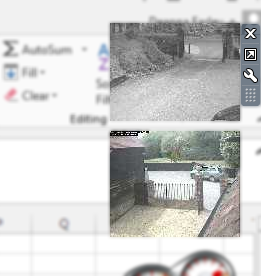
As part of the iCatcher range of digital CCTV software products, we have produced a sidebar gadget suitable for use with the Microsoft® Windows™ operating system. When installed, the gadget provides a live continuously updating feed from any iCatcher Console, Sentry or Wildlife system that has an enabled web server. Installation The gadget is a free download from the File Download Area. When run, you will be prompted to confirm installation of the gadget, after which it will appear in your Windows sidebar. Configuration By default, it will show a welcome banner prompting you to configure it. To change it to use one of your own feeds, right-click on the gadget and select "Options" from the menu that appears. Enter the hostname or IP address of your iCatcher System, and the feed to display. If a username and password is required, you will be prompted to enter it once. You can display as many iCatcher Gadgets as you wish on your Windows sidebar. The screenshot to the right shows an iCatcher Gadget at the top of the sidebar, showing the drive way and courtyard gate feeds from our live Console system. |